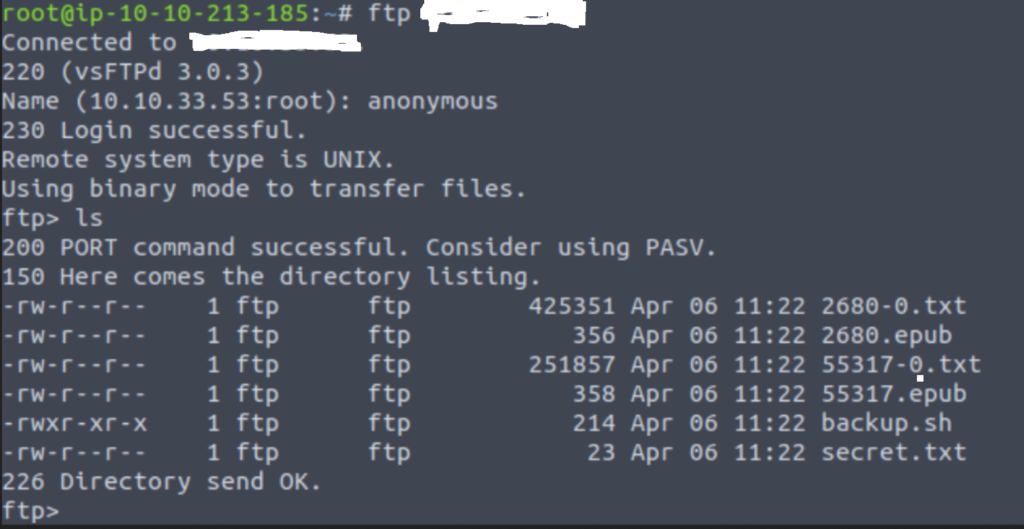
Nmap is one of the most widely used tools for enumeration (gaining more information about the target device or a network). Nmap stands for Network Mapping. The nmap command has so many switches or options which can be added to gain a vast amount of information about the network that we are scanning.
The basic command of nmap is written as
# nmap 192.168.1.1
Explanation: The command has nmap followed by the the ip address of our target machine. When we run this command, it will scan the target IP to get information about the ports and services running on the ports.
Using this command, we can also know if the target system is up and running or it is down. When we run the given nmap command, we get an output with as below:
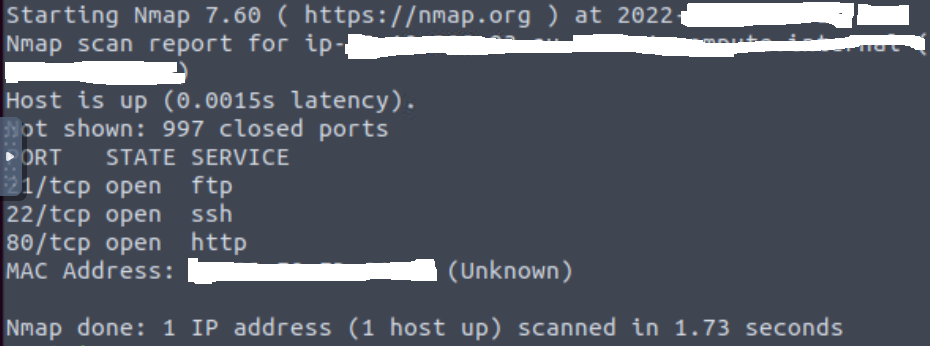
We can see in the output that 3 ports, namely 21, 22 and 80 are open and running different services. These ports fall under the reserved ports or “privileged ports” which are all the ports between port 1 to port 1023. These ports are “well-known” port number in order to make it easy for potential clients to find it and the required services.
Coming back to our example, the ports open and services running are as belows:
- FTP server on port 21: FTP stands for File Transfer Protocol. This protocol is used for transferring files between computers.
- SSH server on port 22: SSH stands for Secure Shell. It is used to login remotely to a system. It is a secure way to connect and run commands on a remote computer. The insecure version for remote communication is telnet (on port 23) which is no longer recommended to be used.
- HTTP server on port 80: HTTP stands for Hypertext Transfer Protocol. It is used for the web. The secure version of HTTP is HTTPS which runs on port 443.
Now with these services found running on the target system, we can try to login to the ftp server anonymously. If anonymous login is enabled, then we can further explore to find our footings in the system and find valuable file to get shell access to the system.